
Blacksmith Master Multi-Part Crafting, Explained
How multi-part crafting works in Blacksmith Master: why workers do not help each other, how assignment preferences control production, and staging big assemblies.
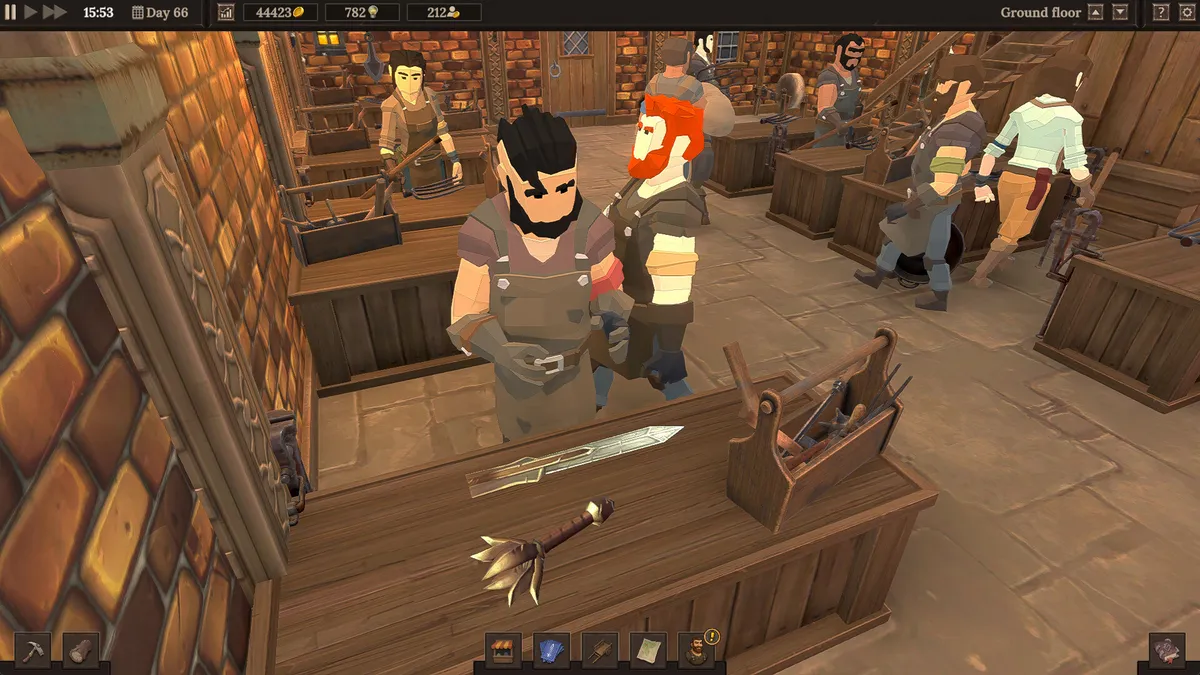
Why are my workers not helping each other on big items?
Because they are not allowed to. Blacksmith crafting is assignment-driven: a blacksmith set to craft for merchants with a metal items preference will craft exactly that — nothing more, nothing less, and never a teammate’s task. The community rediscovers this rule constantly: six blacksmiths standing near a half-built siege engine are not six helpers; they are six workers waiting for orders that match their preferences. This is a feature — it makes production programmable — but it means big assemblies live or die by your assignment screen, not your worker count.
The three control dials
Every crafter answers three questions, settable in the staff menu (overhauled in 1.0 with list view and multi-edit):
- Duty — craft for merchants, craft for racks, design, or trade routes. (Worker builds covers which duties feed which economy.)
- Preference — most expensive, least expensive, most complex, least complex, metal items, wood items. This is what routes multi-part work: two smiths set to metal items and two to wood items will split a mixed parts list cleanly without ever colliding.
- Priority offers — flagged merchant orders jump the queue.
A worked example: the siege commission
A siege engine of 100+ parts might break down as metal frames, wooden supports, and small fittings. The efficient split: your two best metalworkers (preference: metal items) run frames, your carpenter (preference: wood items) runs supports, and a generalist sweeps fittings as least complex. Assistants shuttle components to storage; assembly proceeds from staged parts. The full commission economy is in the siege weapons guide, and the floor space these builds demand is planned in the endgame layout.
Storage staging is half the battle
Multi-part builds flood item storage because every component occupies a slot until assembly. Before accepting a big build:
- Clear pallets and the Item Chest (assign an assistant to keep them moving).
- Pause low-value rack production so shop stock does not compete for space.
- Accept only when your parts split is already configured — re-templating mid-build is how commissions stall.
Common multi-part mistakes
- Preference left on default. A metalworker with a least expensive preference will grind wooden scoops while frames wait.
- No assistant logistics. Blacksmiths carrying parts are parts not forged.
- Claimed-station blindness. A claimed anvil blocks others; spread big metal work across two+ anvils and two+ crafters.
- Forgetting XP flow. Crafters level on what they finish — keep the same smith on the same component family and their speed compounds.
The mental model
Think of your forge as a factory floor, not a party of adventurers: workers execute configured jobs, the assignment screen is your production scheduler, and multi-part items are simply jobs whose parts list spans several stations. Master the scheduler and the biggest builds become routine.
Related Articles
guides
15 Blacksmith Master Tips the Game Does Not Tell You
Fifteen tested Blacksmith Master tips for version 1.0: hidden caps, order refresh math, worker behavior quirks, and menu mechanics the tutorial never explains.
systems
Blacksmith Master Controls and Settings Explained
Blacksmith Master controls for 1.0: camera, manual crafting, accessibility options including mouse-only play, and the settings to change first.
systems
Blacksmith Master Gems: How to Get Topaz, Emerald, Ruby, and Diamond
Every way to get gems in Blacksmith Master 1.0: the Gem Mine trade route shipments, Master Miner finds, and which jewelry each gem unlocks.
Was this helpful?
Thanks for the feedback!